Case study — Energy management app
A building's energy flow on one phone screen
The problem
A live diagram of the whole energy system, on the phone.
The client's system page ran on a desktop dashboard. Its icons came in mixed line weights and styles. Facility managers had no easy way to check production, grid draw or charger status when away from a desk. We reworked the visuals around the client's brand colours, drew one consistent icon set and designed a mobile app built around a single live energy diagram.
01
One live energy diagram
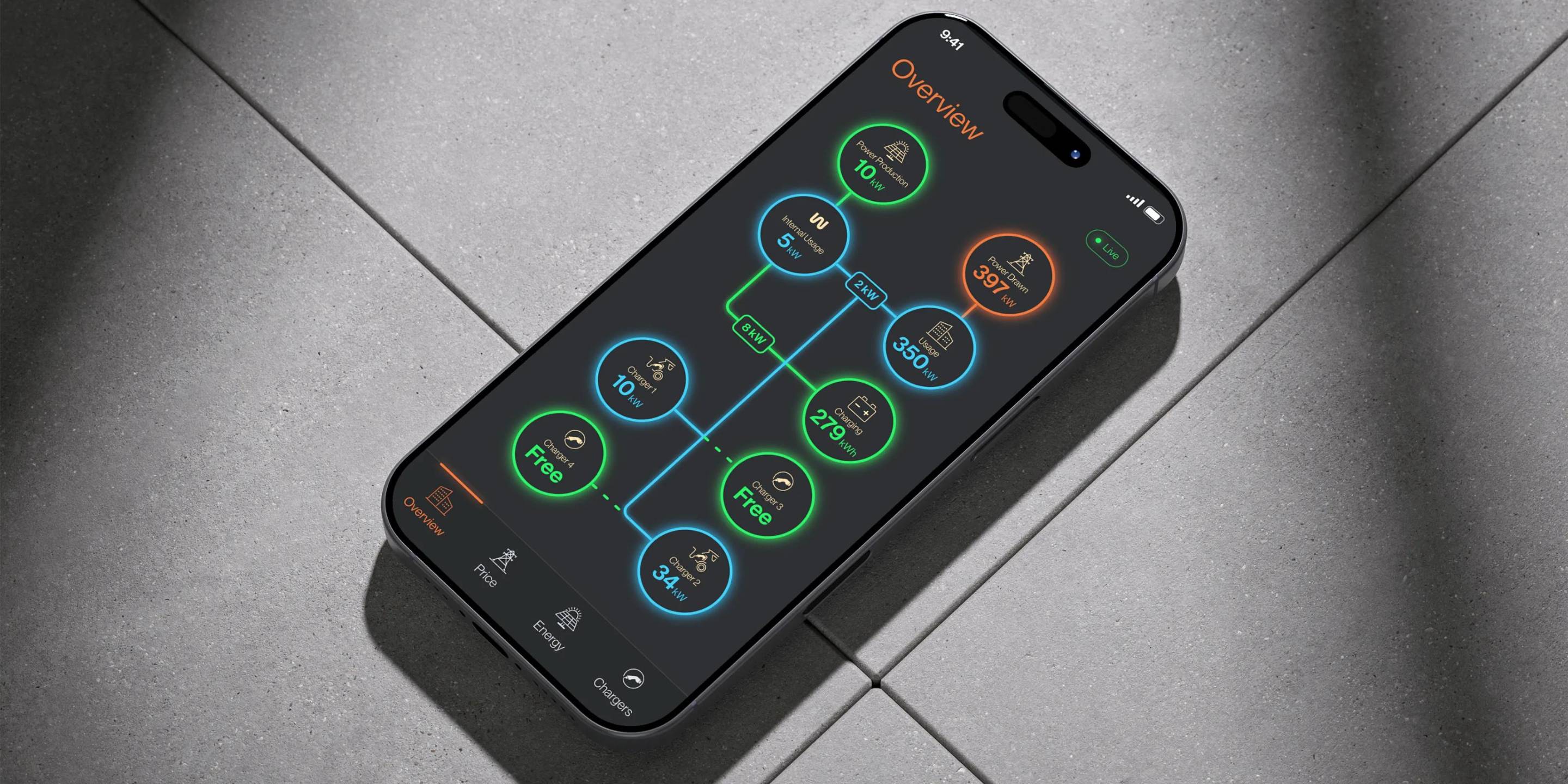
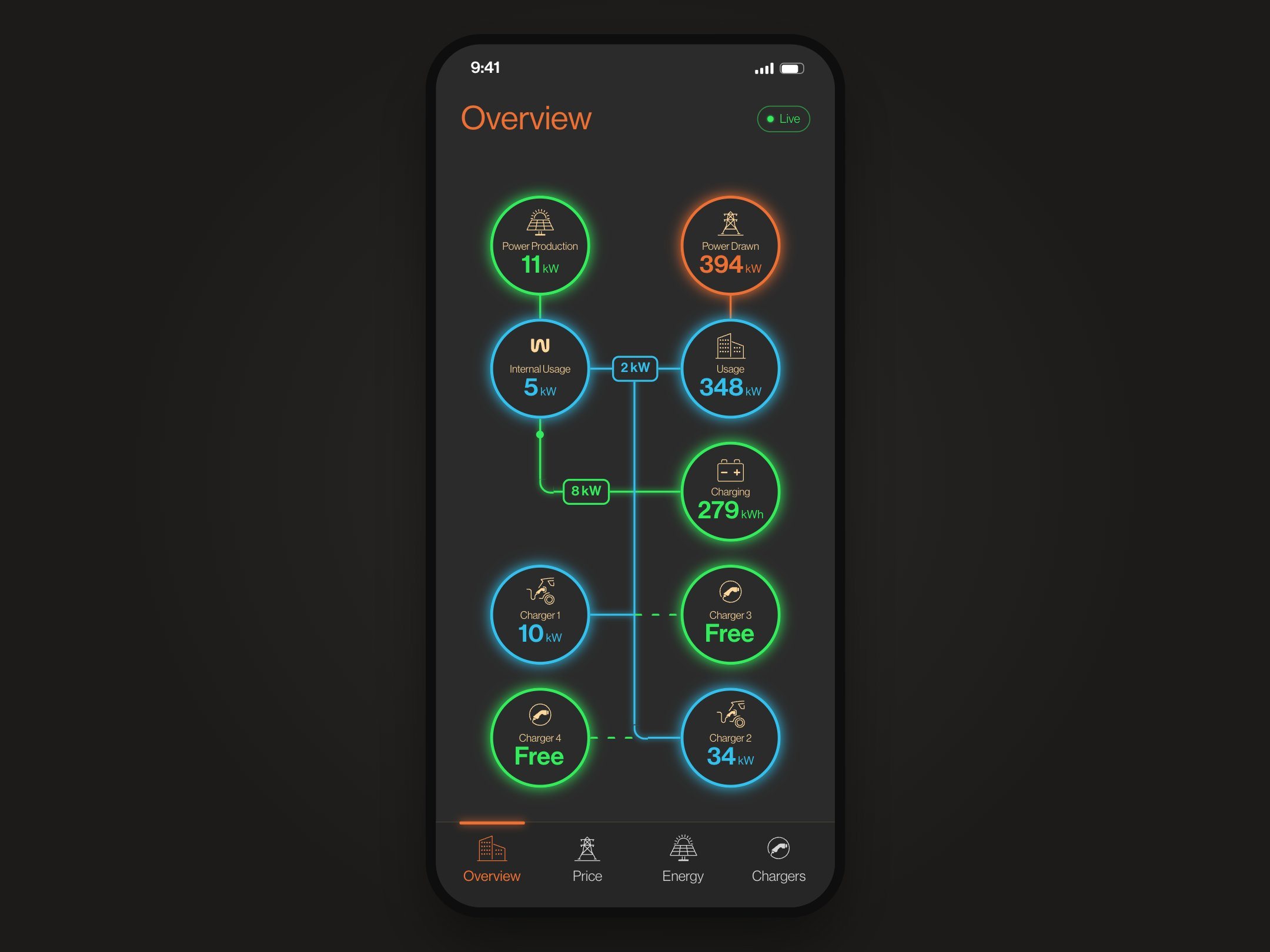
Every part of the setup is a glowing ring: solar, grid, building, battery and each EV charger. The border colour carries meaning on its own. Green marks clean or available energy, orange is power drawn from the grid and blue is energy being used on site, so the state of the building is readable without opening a single number.
Lines between the rings show where power flows, and animated dots trace solar energy into the battery. Free chargers branch off in dashed green and active ones in solid blue. Tapping any ring opens the matching detail, so the overview doubles as navigation for the whole app.
02
Price and usage in context
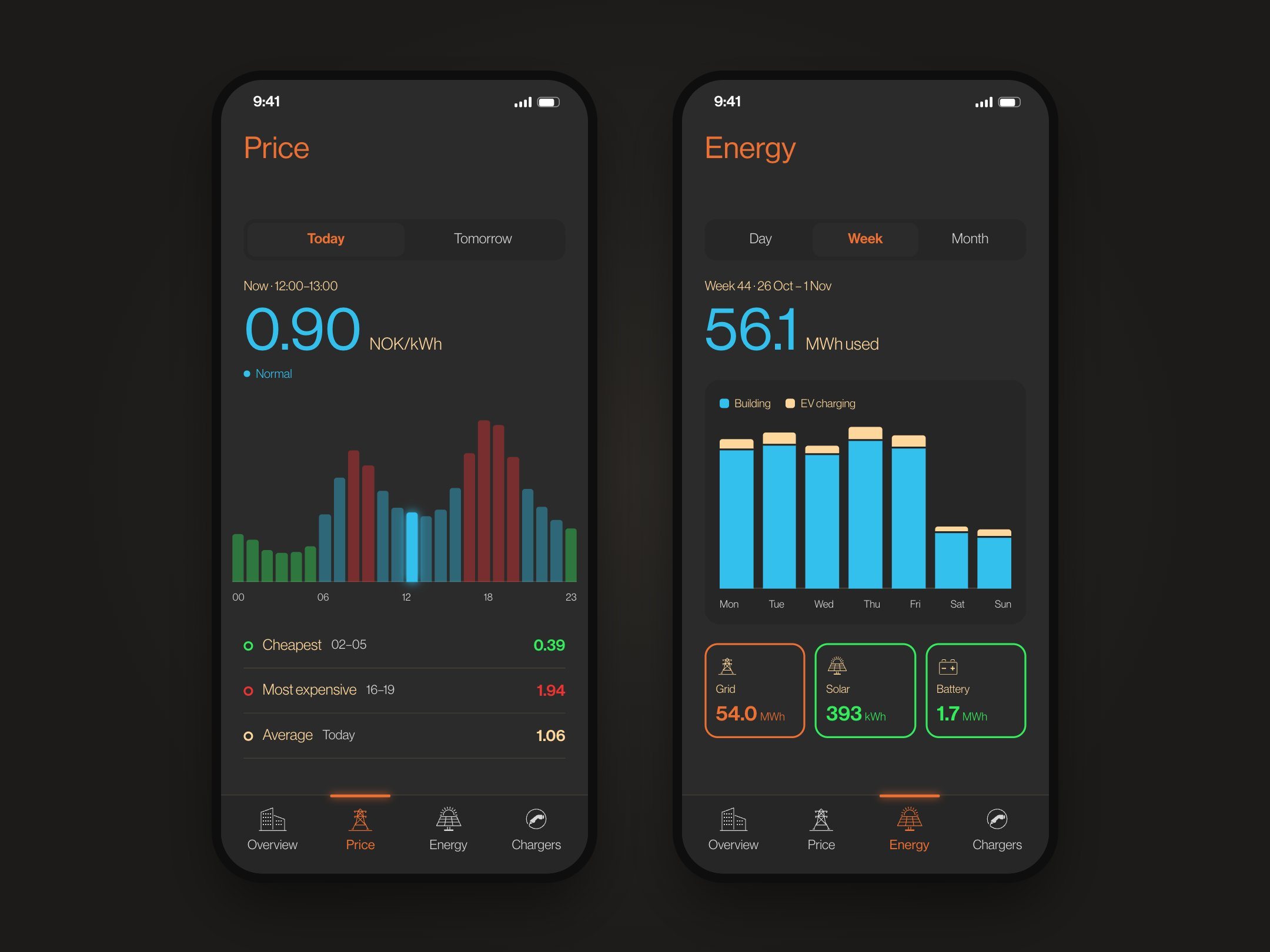
The price screen shows today's and tomorrow's hourly spot price as one bar chart coloured by level: cheap, normal or expensive. Tap any hour to see its price. The cheapest and most expensive three-hour windows are worked out automatically, so planning heavy loads takes one look.
The energy screen splits consumption into building and EV charging over a day, week or month, with grid, solar and battery totals underneath. It uses the same signal colours as the overview, so moving between screens never means learning a new colour code.
03
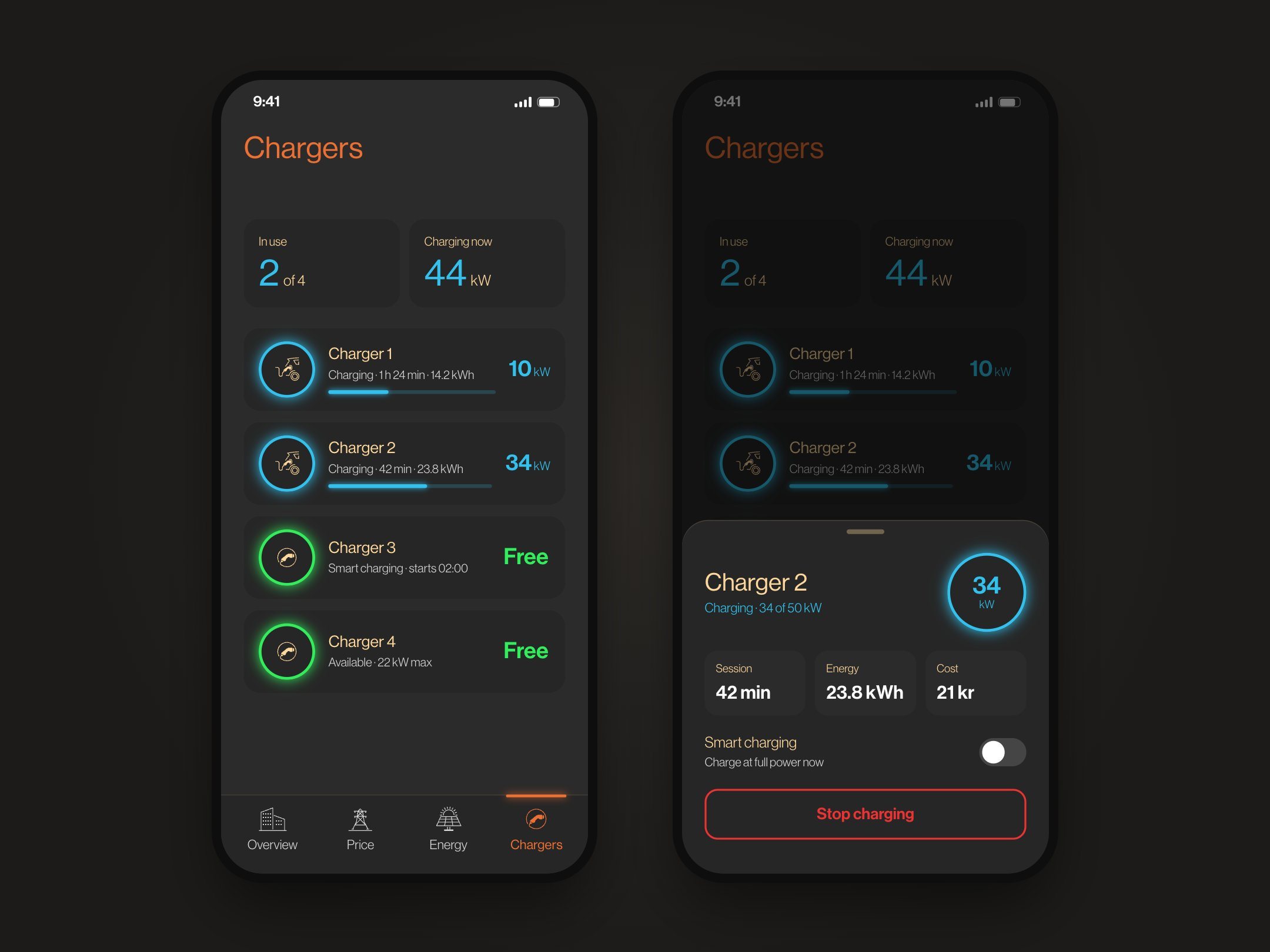
Chargers you can control
Each charger has a status ring, live power, session time and delivered energy, with a progress bar while a car is charging. A summary at the top shows how many chargers are in use and the total load, which answers the most common question before anything is opened.
Opening a charger brings up a detail sheet where you can start or stop a session and turn on smart charging. Smart charging waits for the cheapest price window found on the price screen, which ties the three parts of the app into one decision about when to charge.
Result
A pitch concept that was well received by the client.
How we worked