Case study — KLAB Ergositter
From button grid to 3D chair
The problem
Thirty-odd buttons, now one chair you can touch.
KLAB's Ergositter operator chair has motorised armrests, seat, backrest, footrest, rotation and travel. The original application gave every movement its own labelled button, like "Right armrest up". There were so many that KLAB was considering a larger display just to fit them. We redesigned the interface around a 3D model of the chair, so the control panel could use a smaller display.
01
One button per movement
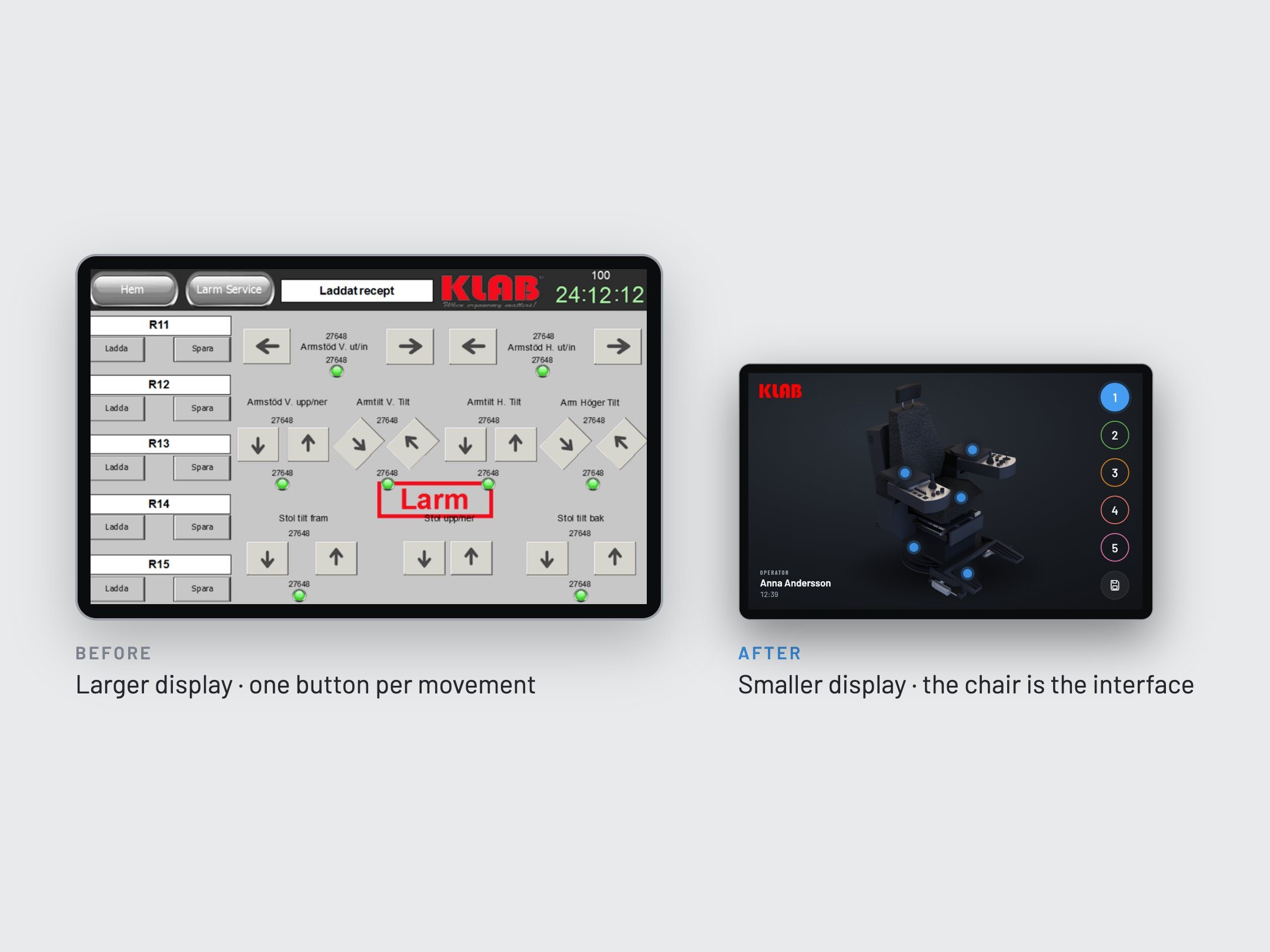
The previous interface gave every adjustment its own pair of arrow buttons under a text label, such as "Armstöd H. ut/in", next to raw sensor values and status lamps. Operators had to read the labels and work out which part of their own chair each one meant, often mid-shift.
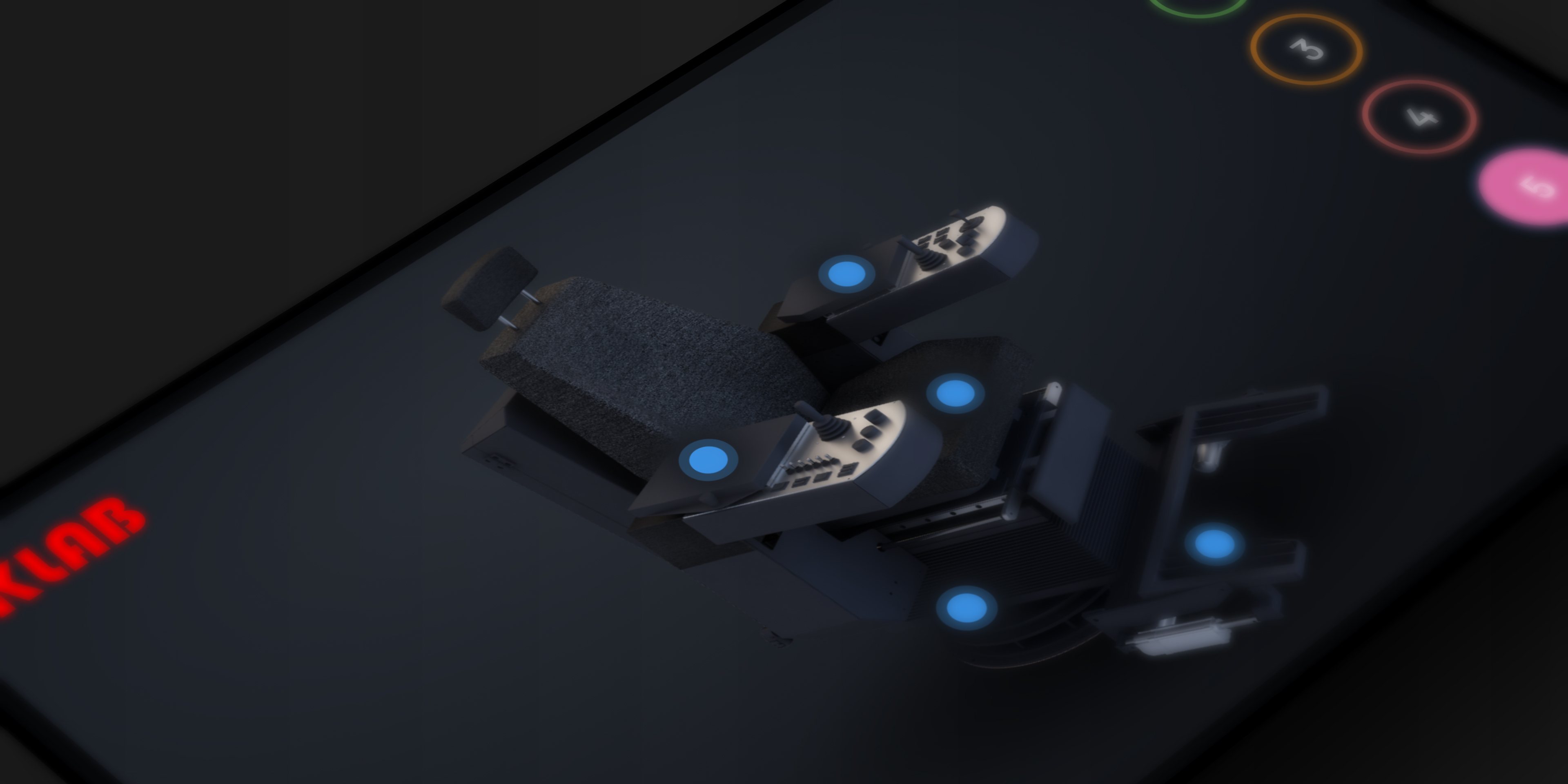
The redesign removes the list entirely. A 3D render of the chair fills the screen, with a touch point on each adjustable part. Operators point at the part they want to move. Without the button grid the interface fits on a much smaller display, which saved cost and space on the control panel.
02
Tap a part to focus
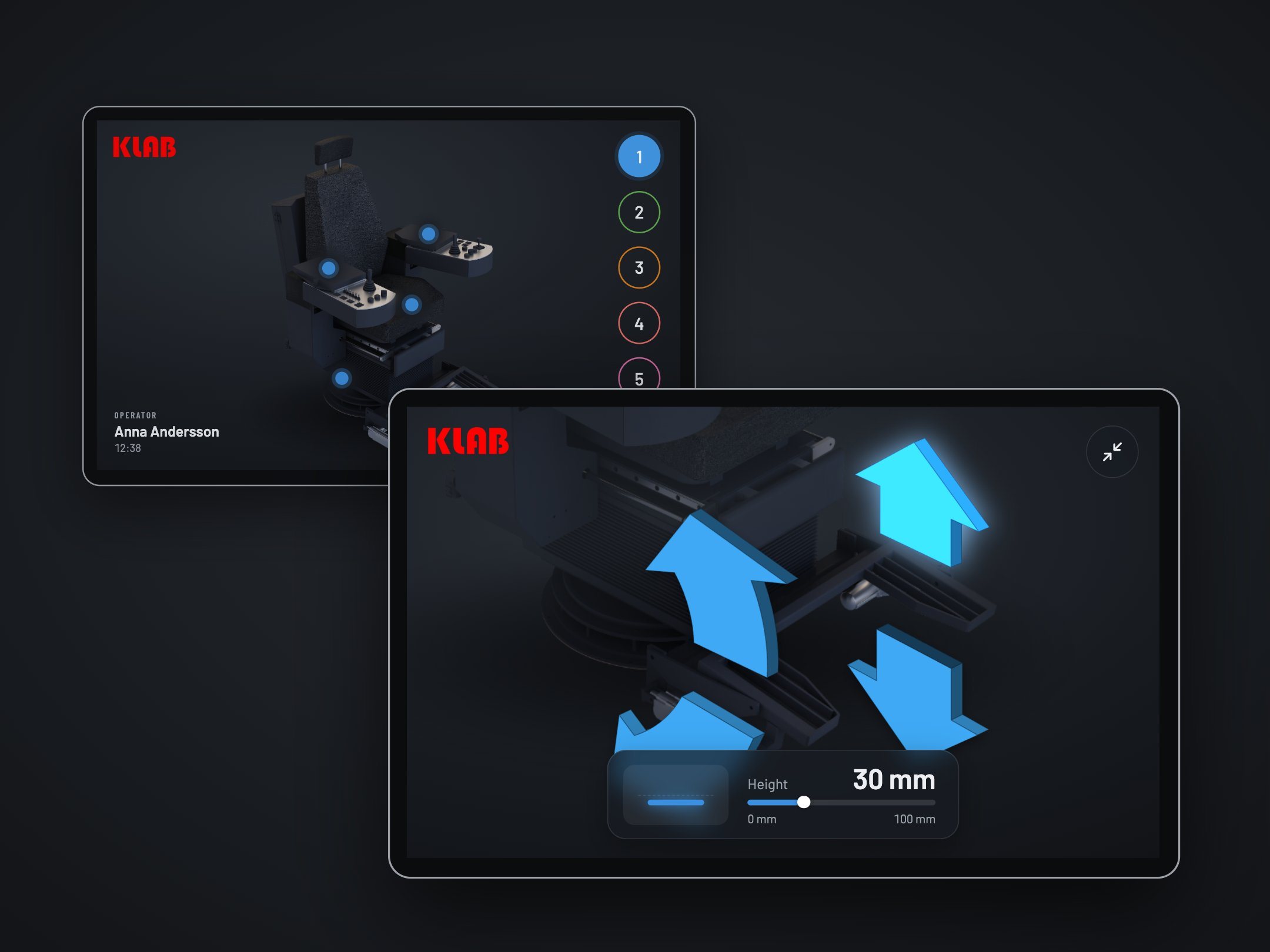
Tapping a touch point, here the footrest, zooms smoothly into that part of the chair. The rest of the chair fades back, and large 3D arrows appear on the part itself, showing exactly which ways it can move. Each arrow is a hold-to-move control: the chair moves while you hold it and stops when you let go.
While an arrow is held, a small readout shows the current value against its low and high limits. A dash moves or tilts in step with the chair, so the operator gets feedback without watching the hardware. One tap on the minimise icon returns to the overview.
03
Presets in one tap
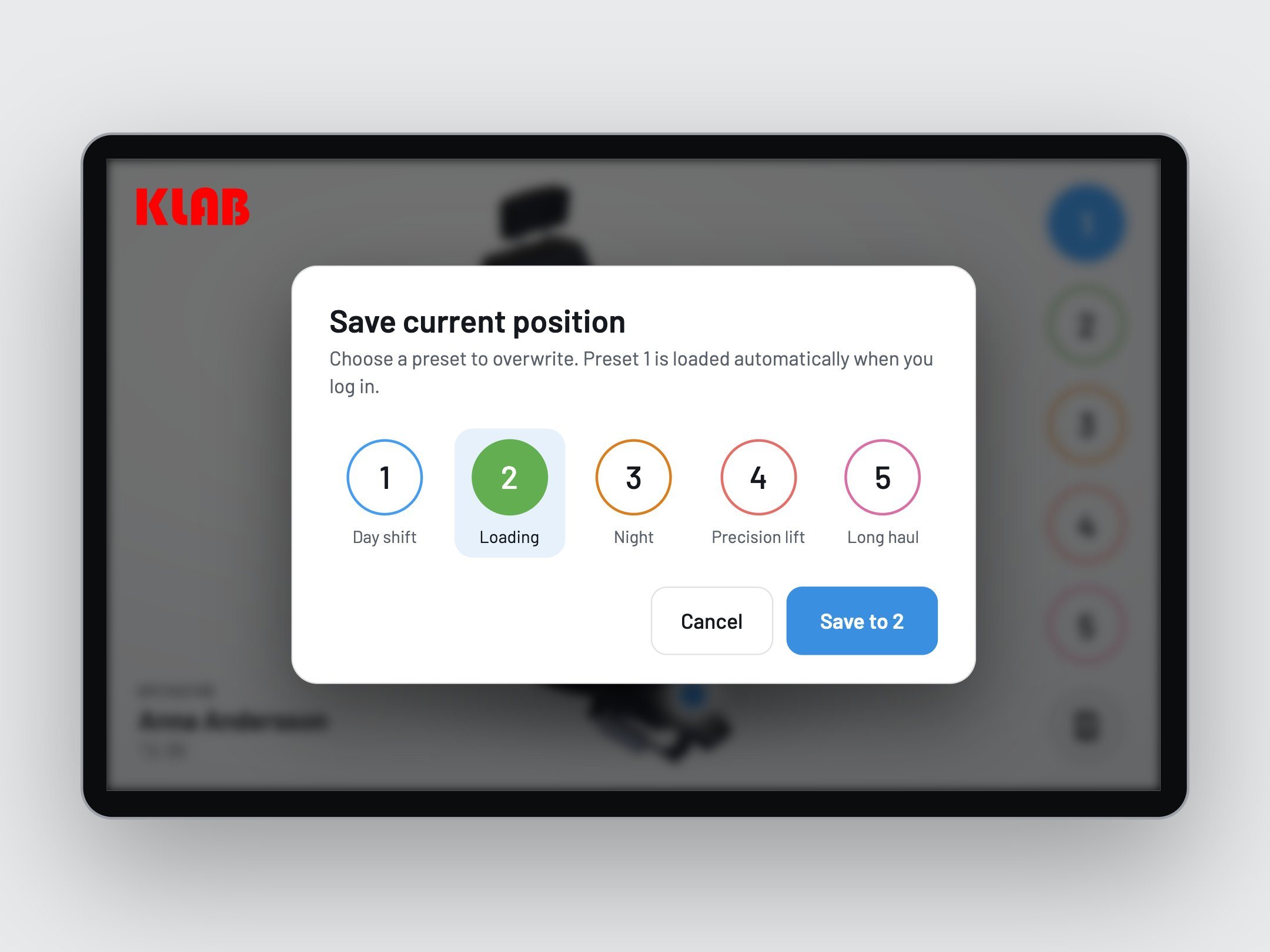
Operators log in by holding their key card to the reader and log out by removing it. Preset 1 loads automatically on login, so the chair moves straight into each operator's own position. Shift changes between operators no longer start with minutes of readjustment.
Five numbered presets are always on screen. Tapping one moves the chair to that position. The save icon opens a short dialog where the current position can be stored in any of the five presets. Each preset keeps its own colour, so operators recognise their slot without reading numbers.
04
The prototype in use
A screen recording of the touch prototype: logging in, zooming into a part, moving it and saving a preset.
Result
KLAB and its operators were happy with the new interface. With almost no text on screen, it also needs very little translation for new markets.
How we worked